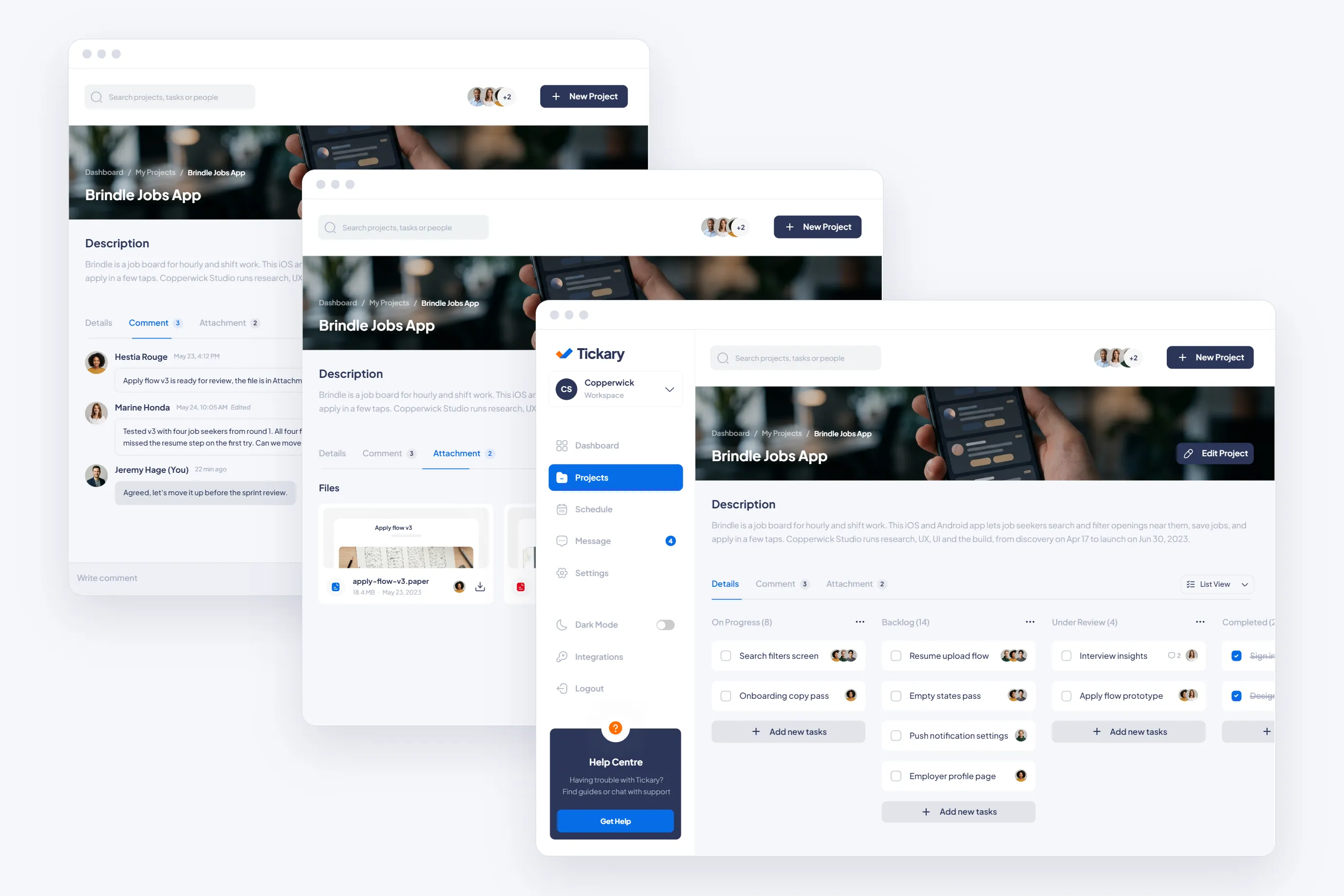
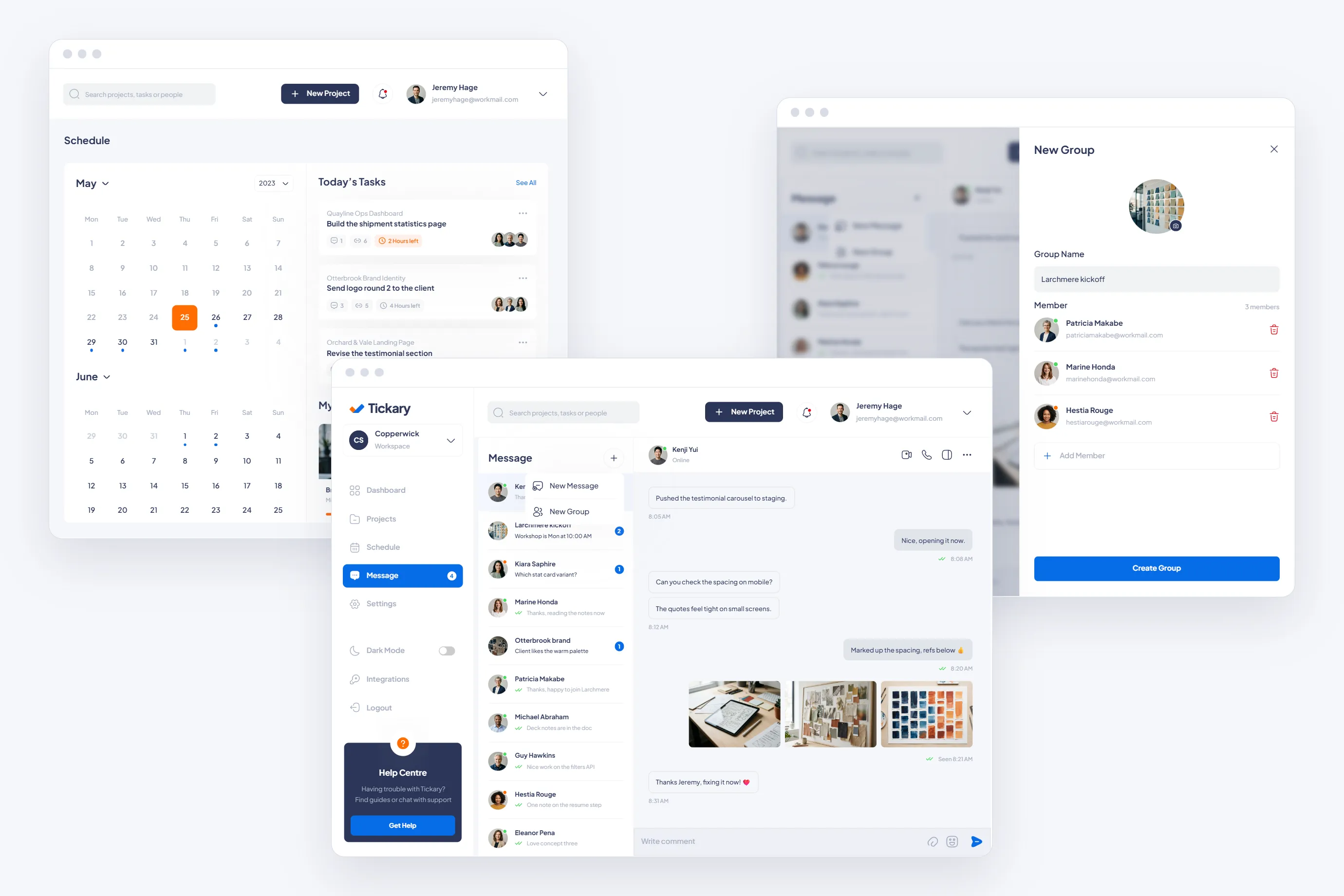
Web app screens, from the dashboard to settings.
13
Tickary is a project and task tool for small teams. We took its web app and its phone app from UX research to development.

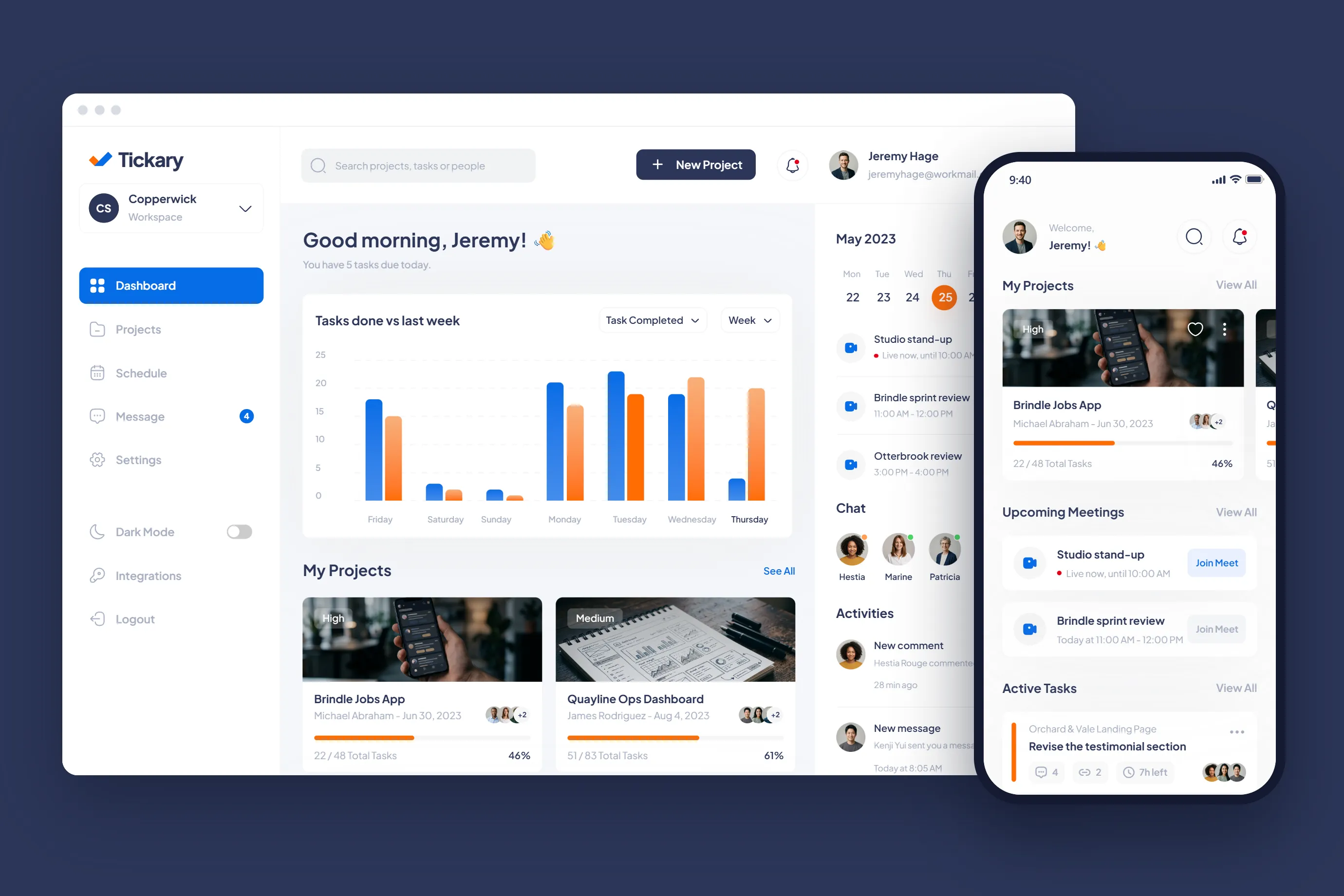
The client was a startup building a project and task tool for small teams. The brief was a web app and a phone app that work as one product.
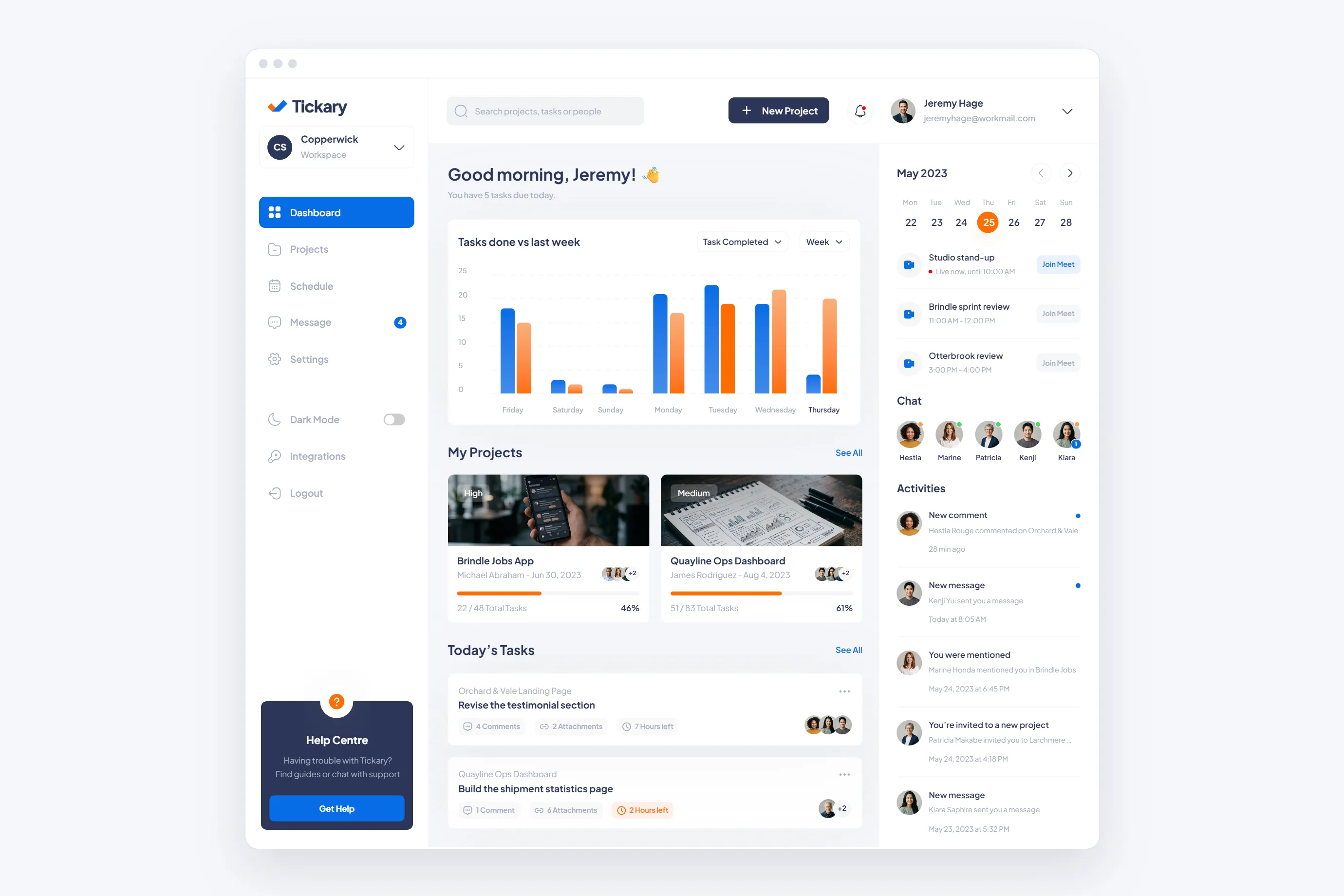
Web app screens, from the dashboard to settings.
13
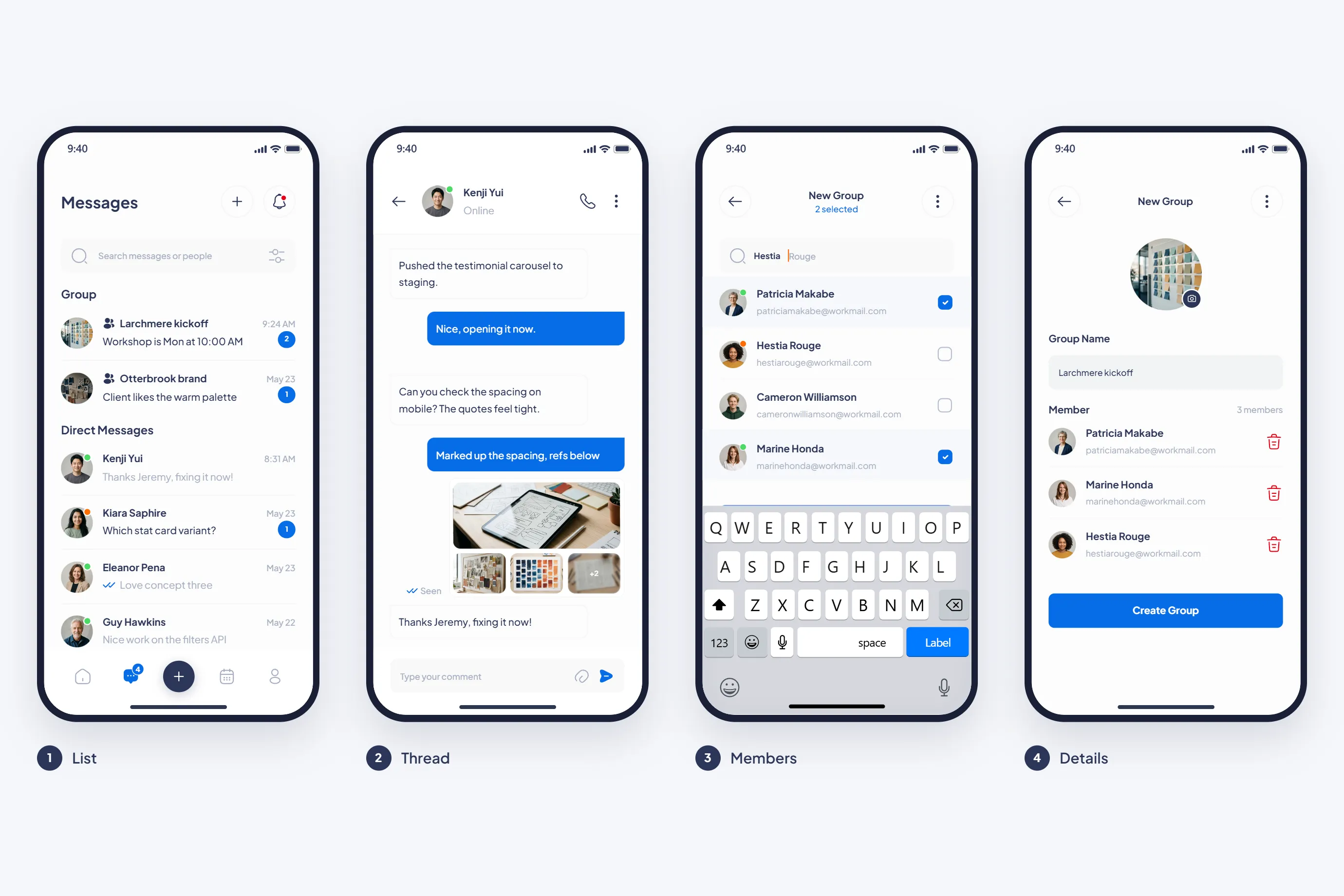
Phone screens, from sign in to saved items.
24
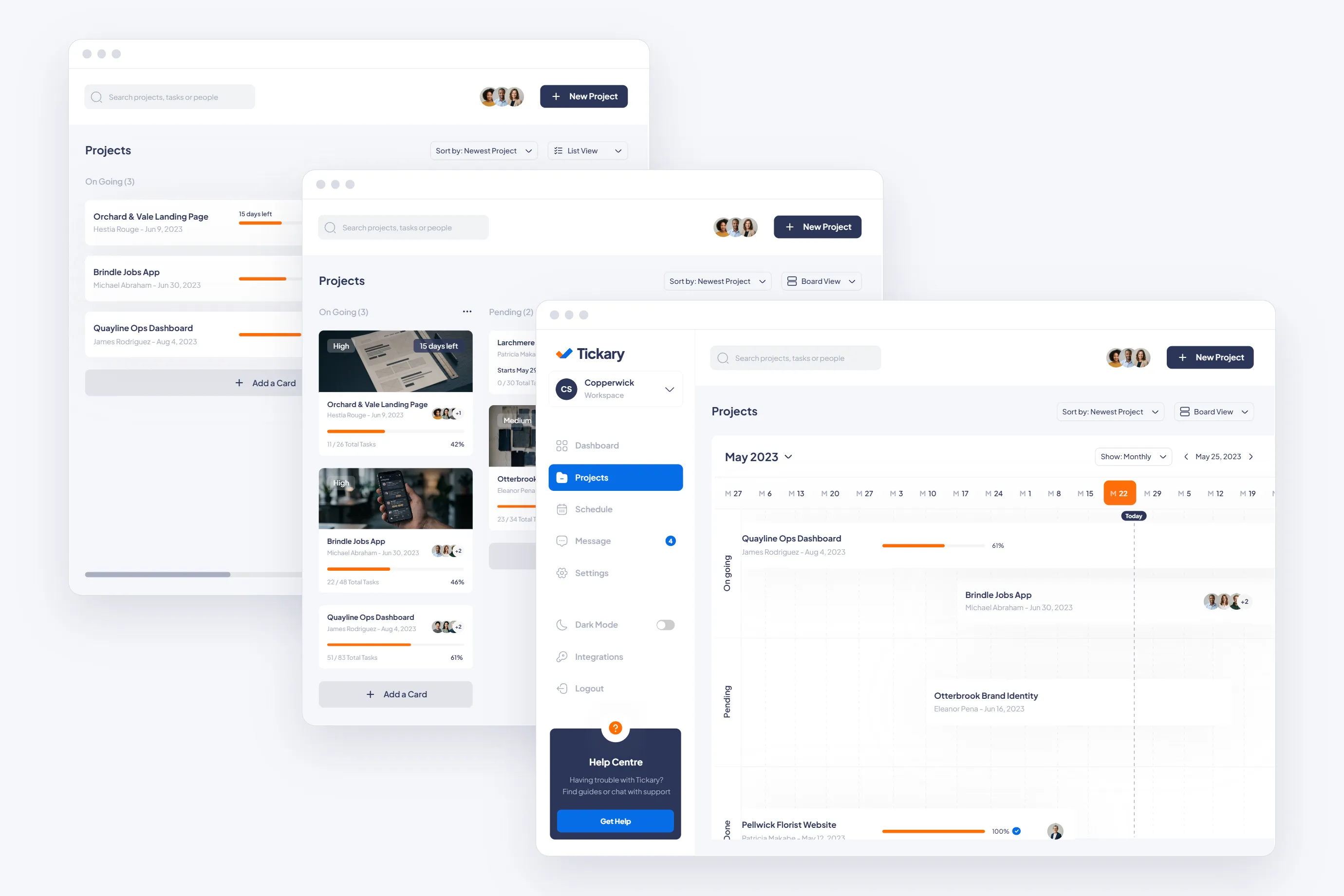
Ways to see a project: list, grid and timeline.
3
We started with UX research and the flows for projects, tasks and messages. The web app and the phone app share one design system, so a project looks and works the same on both. We then developed both apps from those screens.
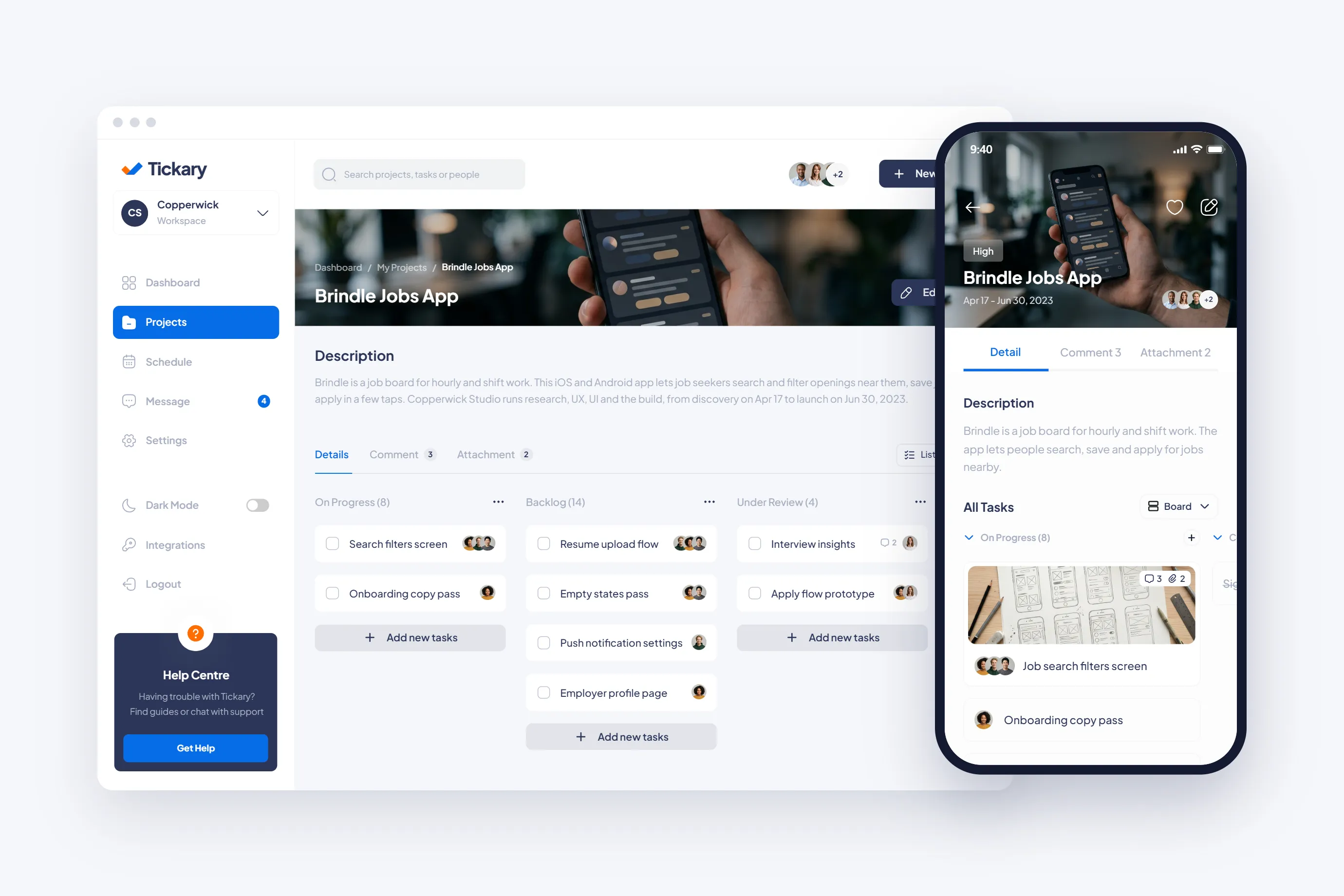
The dashboard opens on today's tasks, project progress and the week ahead. Projects show as a list, a grid or a timeline. Open one and its tasks sit on a board with four columns. Comments and attachments have their own tabs.
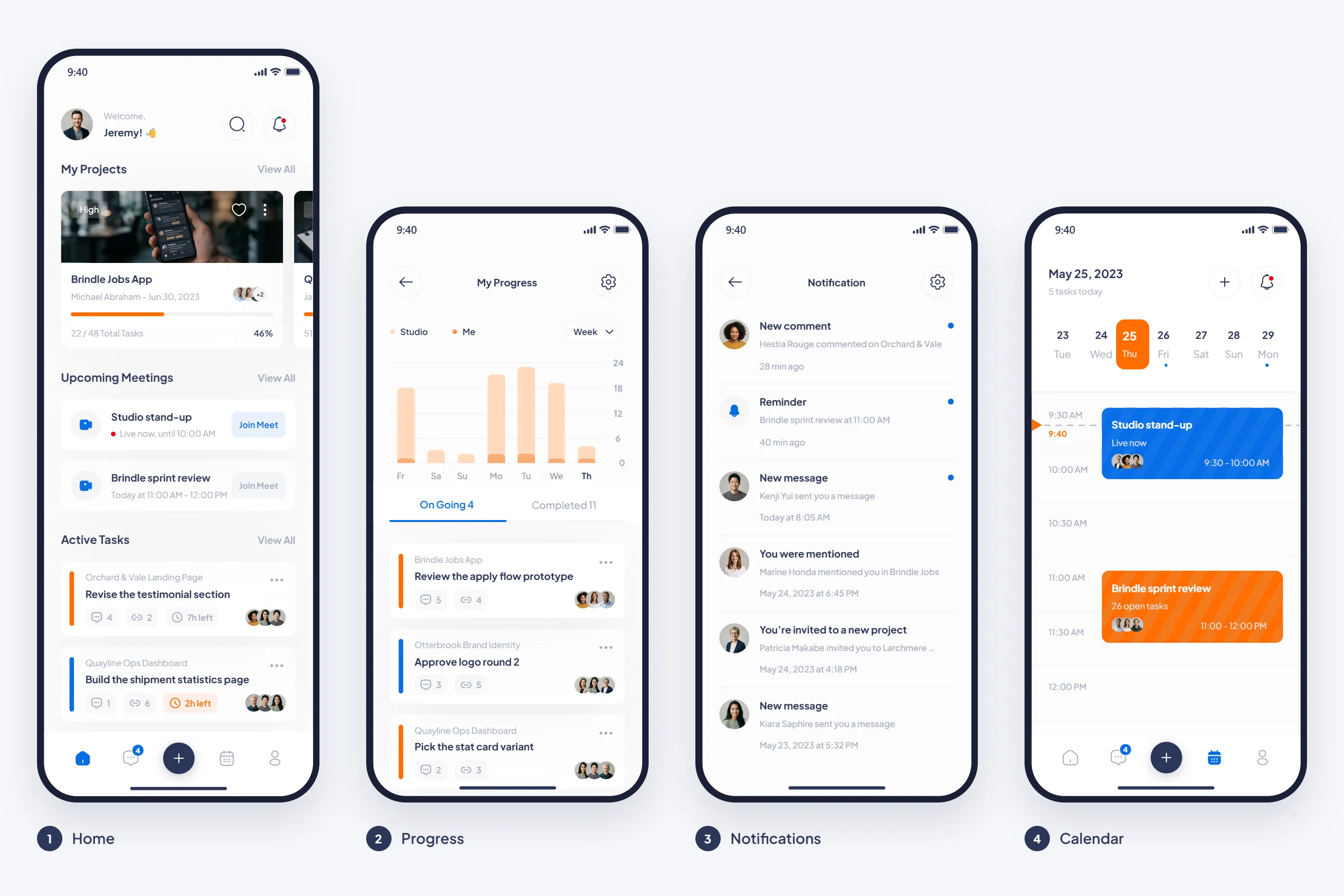
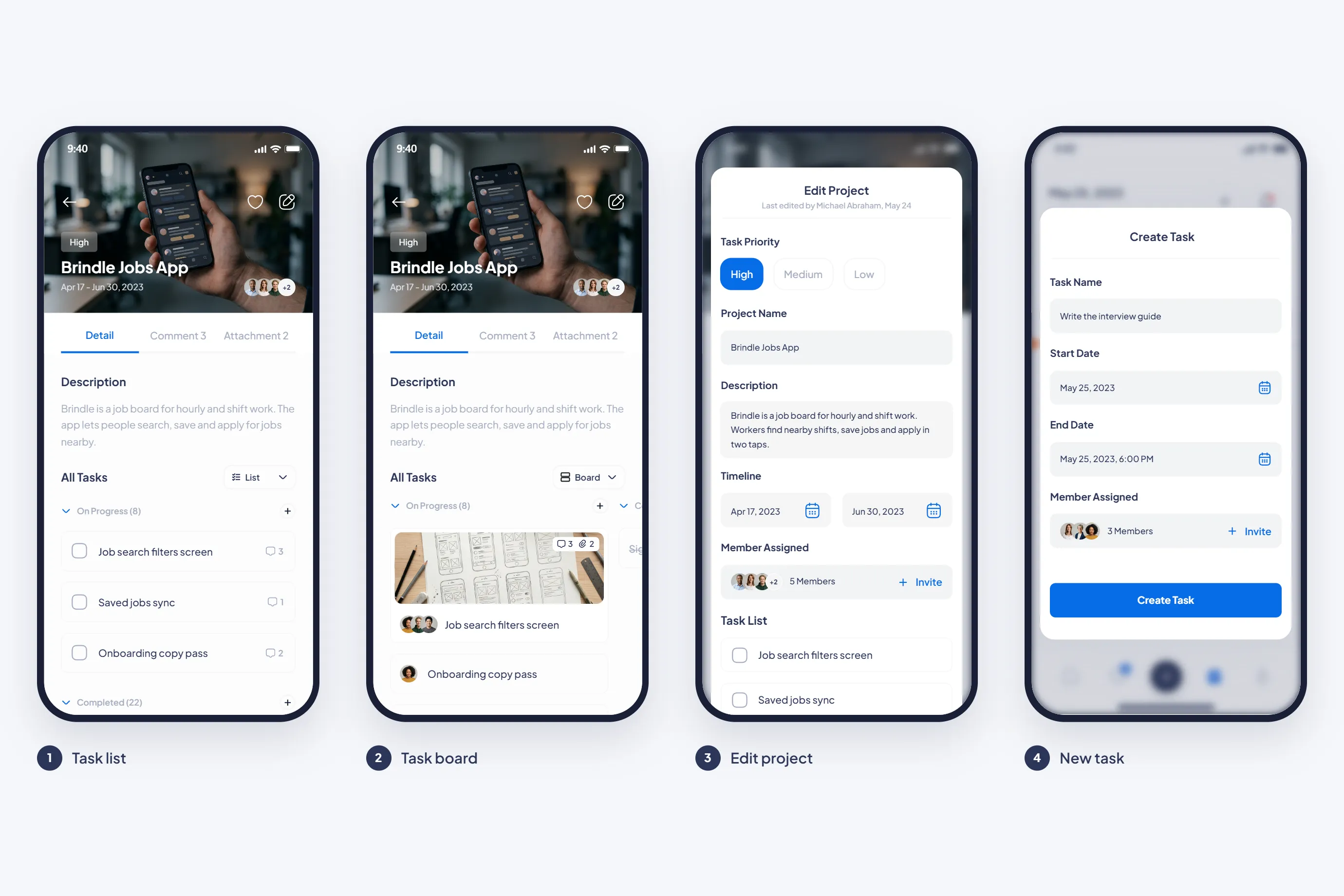
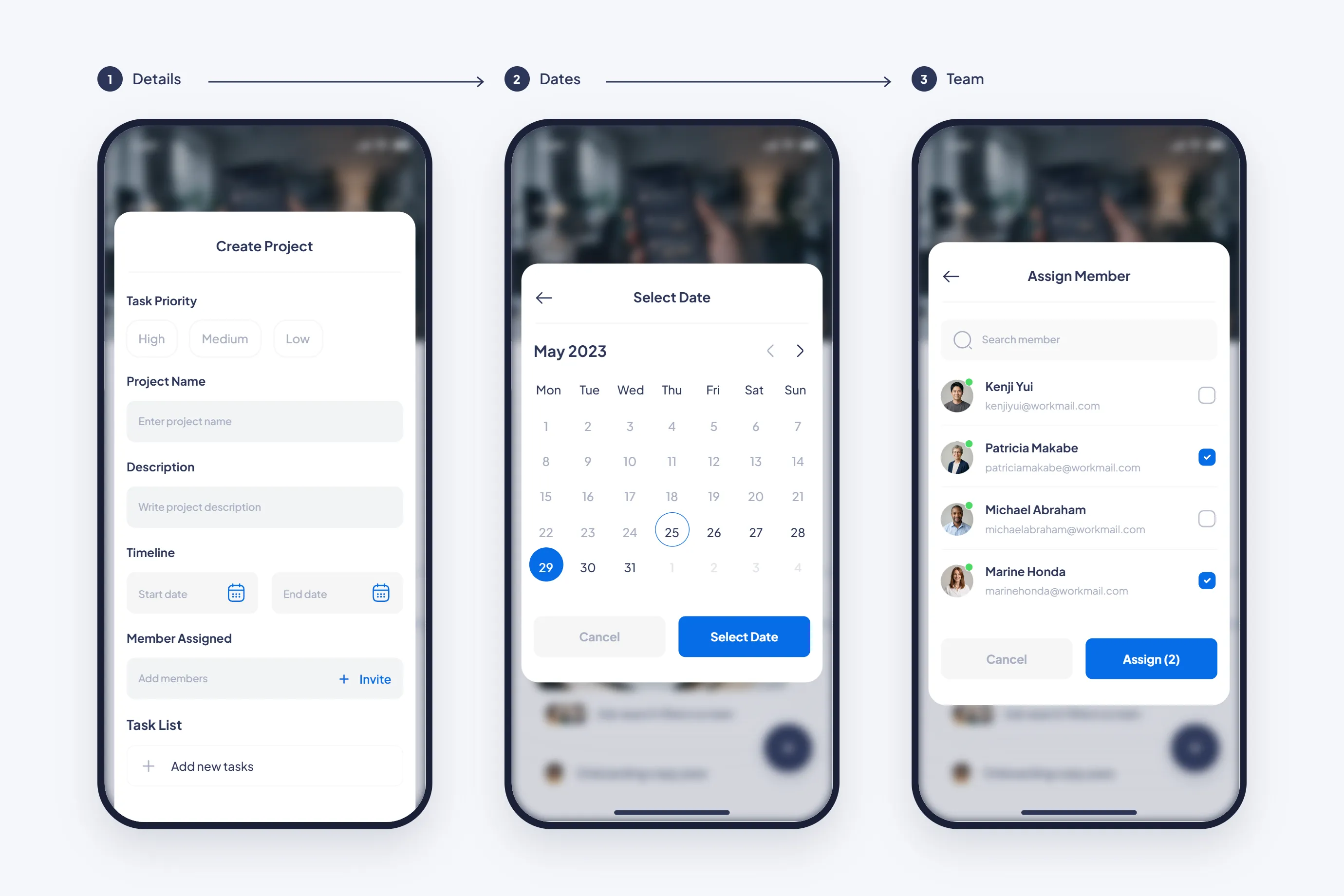
The phone app shows the same projects, tasks and numbers as the web app. Home holds projects, upcoming meetings and active tasks. Tasks open as a list or a board, and a new project takes three steps: details, dates and team.
Messages, groups and the schedule sit in the same app. Start a direct message or a group, share images in a thread, and see the month and the day's tasks on the schedule. The phone has the same chat, with a list, a thread and a two step new group.
The web app and the phone app share one font, Plus Jakarta Sans, and one set of colors. Navy is for text and main actions, blue marks what is active, and orange marks time and progress. A task due within two hours shows an orange chip on both.
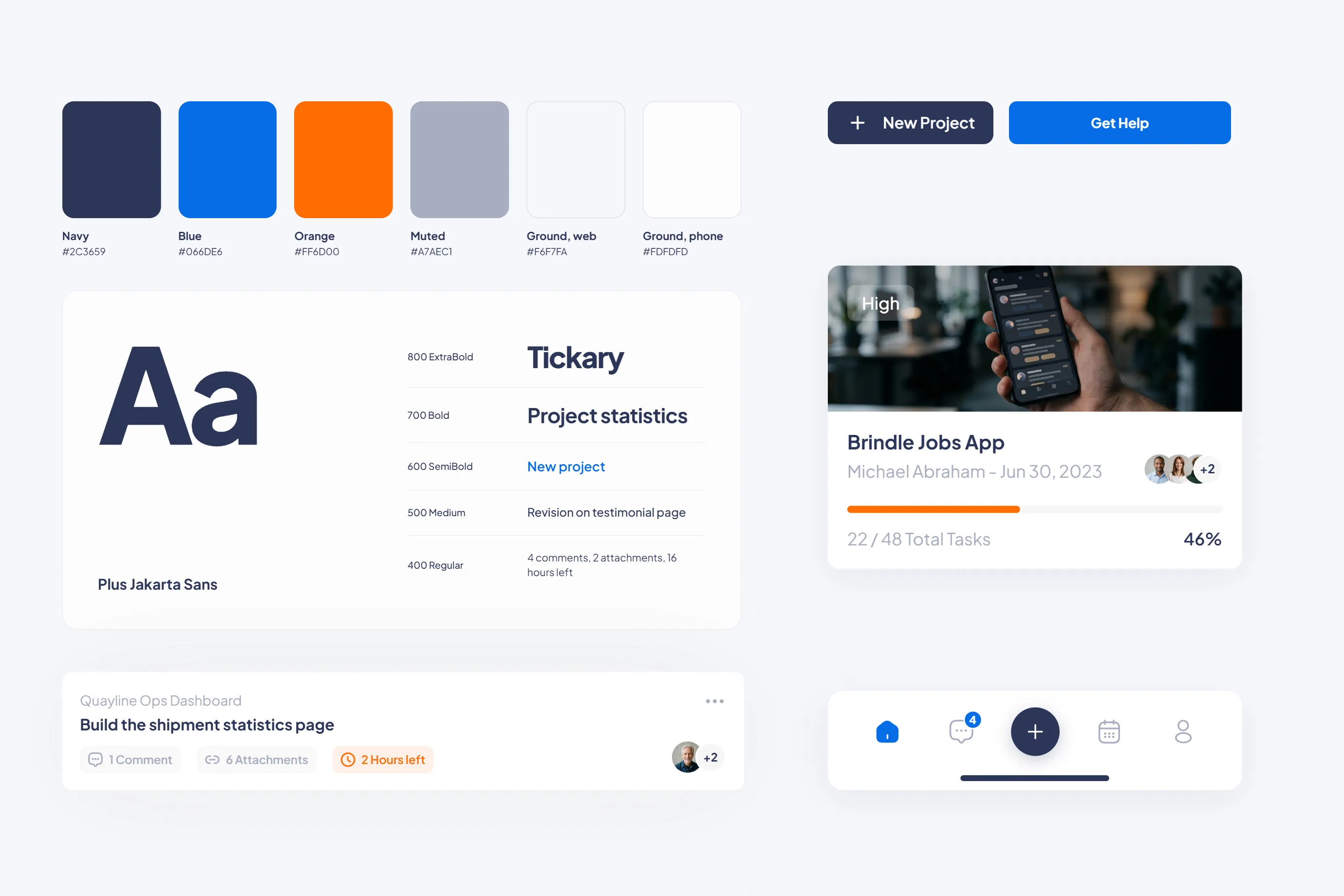
Webus delivered a web app and a phone app on one design system. A project shows the same tasks and progress on both, and a due time or an unread count looks the same on each.
Book a free 30-minute call.
Book a callMy job is making sure you leave our first call with clarity and next steps.
RUBY RATTEY
CLIENT SUCCESS MANAGER
Whether you have questions or just want to explore options, we're here.